
If you use AWS, Azure, or GCP for ePHI, the cloud provider does not make you HIPAA compliant. You do.
I’d sum it up like this: HIPAA IAM comes down to one person, one account, MFA for every user, least-privilege access, tight control of service identities, and logs you can keep for 6 years. If any of those pieces are weak, your risk to patient care goes up fast.
Here’s the short version:
- Use only HIPAA-eligible cloud services covered by a BAA
- Give each user their own login - no shared accounts
- Use role-based access so staff only get the access they need
- Require MFA for remote and privileged access
- Set up break-glass access for emergencies, with logging
- Use short-lived roles or managed identities instead of static keys
- Centralize audit logs and protect them from changes
- Review access every quarter
- Separate ePHI workloads from dev and test environments
- Apply guardrails at the org, subscription, or folder level
A few cloud-specific examples from the article:
- In AWS, that means Organizations, SCPs, IAM roles, IAM Identity Center, CloudTrail, and Access Analyzer
- In Azure, that means Entra ID, RBAC, Conditional Access, PIM, managed identities, and Log Analytics
- In GCP, that means folders/projects for PHI, custom IAM roles, service accounts, organization policies, and Cloud Audit Logs
The main point: the cloud tools are different, but the HIPAA goal stays the same. You need to control who can access ePHI, prove that access was limited, and keep records that show what happened.
| Cloud | Main IAM tools for HIPAA-aligned use | Main logging source |
|---|---|---|
| AWS | IAM Identity Center, IAM roles, SCPs, permissions boundaries | CloudTrail |
| Azure | Entra ID, RBAC, Conditional Access, PIM | Entra logs + Azure activity logs |
| GCP | IAM roles, service accounts, organization policies, Access Context Manager | Cloud Audit Logs |
If I were setting the baseline today, I’d start with identity federation, MFA, least-privilege roles, machine identity cleanup, and log retention first. That gets the core HIPAA IAM controls in place before moving into deeper policy tuning.
AWS IAM Hardening for HIPAA Compliance - Step by Step (2026)
sbb-itb-535baee
Map HIPAA requirements to cloud IAM control objectives
HIPAA Technical Safeguards under 45 CFR §164.312 line up most closely with access control, audit controls, integrity, and user authentication.[4][8] The job here is simple: turn those safeguards into IAM control objectives you can actually test.
Access control, authentication, and machine identities
Each identity should tie to a role, and that role should have only the permissions needed to do its job.[5][8] If multiple people use the same account, or if teams rely on generic admin logins, you lose the traceability HIPAA expects. NIST SP 800-66 Rev. 2 links HIPAA access control to account management, access enforcement, separation of duties, and least privilege.[6][7]
That same thinking applies to non-human access. If a machine identity can touch ePHI, it needs the same tight scope and clear traceability as a human account. Service account keys also need strict control.[2][3]
In practice, that usually means:
- Separating production ePHI systems from development and test environments by account, subscription, or project
- Requiring MFA for privileged and remote access to ePHI systems[1][5]
- Reviewing human and machine access against role needs on a set schedule
- Locking down service account credentials and tracking where they are used
Audit logs and retained evidence for HIPAA reviews
For HIPAA reviews, compliance teams need more than a screenshot and a policy doc. They need access logs, role assignment history, machine identity inventories, access approvals, and review attestations. Centralize IAM audit logs, keep them for 6 years, and protect them from tampering.[5]
Access to log settings should be limited. If someone can change or disable logging without tight control, the paper trail falls apart. And every ePHI access event should trace back to a named human or machine identity. That's the difference between "we think this was okay" and being able to prove it.
Use Censinet RiskOps™ to connect IAM controls to healthcare risk
IAM gaps don't stay boxed inside the IAM team for long. Once they affect ePHI access or third-party workflows, they become business risk. Censinet RiskOps™ links IAM gaps to patient-data, operational, and third-party risk, while helping security, compliance, IT, and vendor teams work through remediation together. That kind of visibility matters when third-party applications or medical device vendors handle ePHI.
Build HIPAA-ready IAM in AWS, Azure, and GCP

The control goals above need to become actual settings inside each cloud. AWS, Azure, and GCP aim at the same HIPAA outcomes, but they get there with different IAM, policy, and logging tools.
AWS: roles, Organizations, policy boundaries, and CloudTrail
Start with AWS Organizations and keep ePHI workloads in dedicated accounts. Then apply SCPs at the organizational unit level as hard guardrails. In practice, that means blocking public S3 access in ePHI accounts, requiring customer-managed KMS keys, and enforcing CloudTrail at the organization level.
Inside those ePHI accounts, use IAM roles for EC2, ECS, and Lambda instead of static access keys. Users should federate from your enterprise identity provider into IAM Identity Center, with permission sets tied to job roles. Permissions boundaries put a ceiling on what delegated admins can grant, which helps stop privilege escalation past the allowed limit.
For audit evidence, CloudTrail organization trails record API calls across all accounts into a centralized log stream. IAM Access Analyzer scans the organization as a zone of trust, flags external, internal, and unused access paths, and can generate least-privilege policies from observed activity. AWS Config rules mapped to HIPAA Security Rule controls support review over time.
| HIPAA IAM Control Objective | AWS Feature | Notes |
|---|---|---|
| Workload isolation | AWS Organizations / OUs / accounts | Separate ePHI accounts reduce blast radius |
| Maximum permission cap | SCPs + permissions boundaries | Enforced across delegated admins |
| Workforce authentication | IAM Identity Center + IAM roles | No long-lived credentials |
| Machine identity | IAM roles on EC2/ECS/Lambda | No static keys for application workloads |
| Overly broad access detection | IAM Access Analyzer | Flags external, internal, and unused access |
| Audit trail | CloudTrail + AWS Config | Traceability and control validation |
Azure follows the same basic model through Entra ID, RBAC, Conditional Access, and PIM.
Azure: Microsoft Entra ID, RBAC, Conditional Access, and PIM
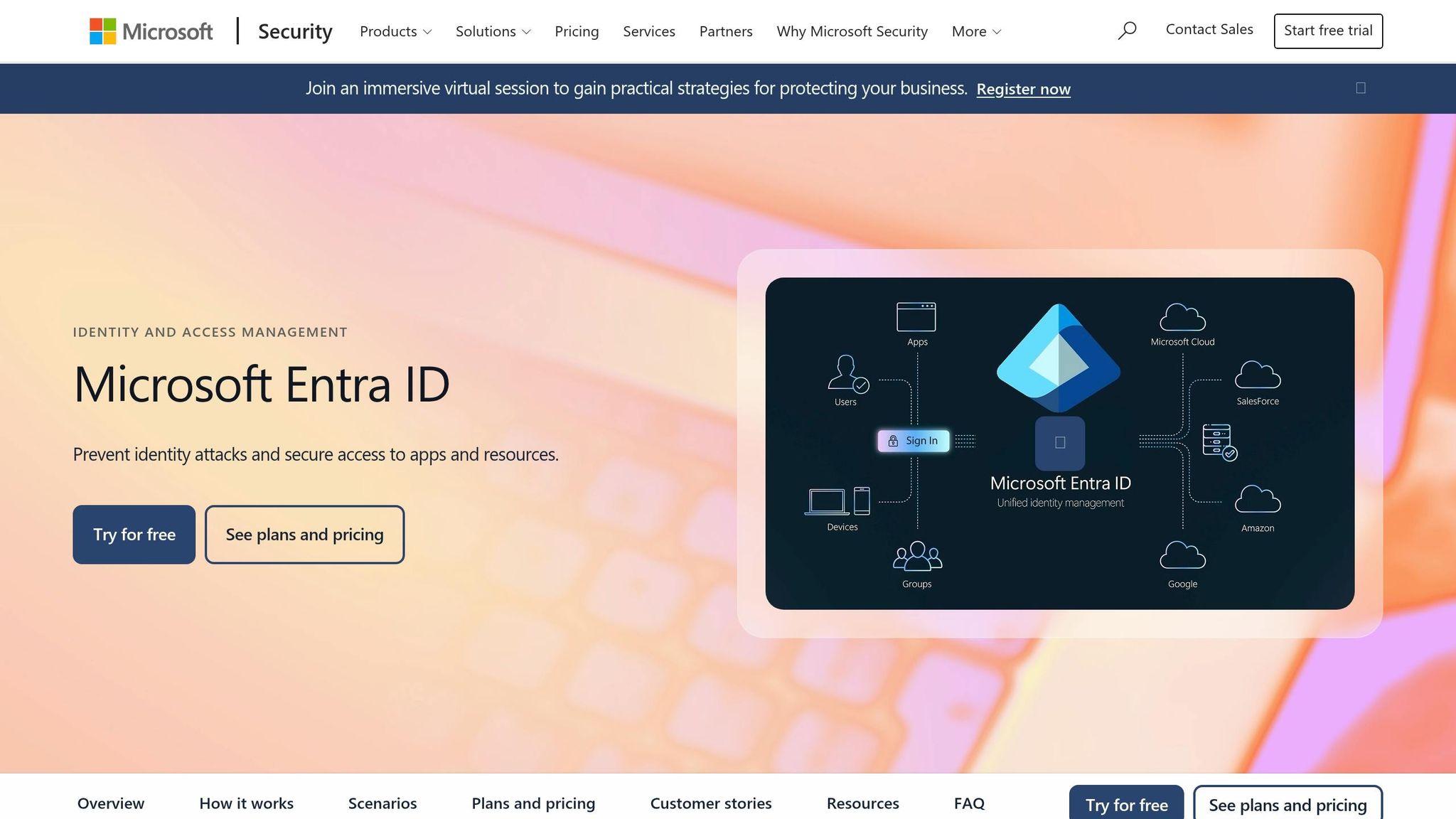
Keep ePHI workloads in dedicated subscriptions. Use Conditional Access to require MFA for ePHI access, with policy enforcement based on role and resource sensitivity.
Azure RBAC controls what signed-in identities can do inside a subscription. Assign roles at the narrowest scope possible, and use custom roles when built-in roles allow more than the job needs. For privileged access, PIM adds just-in-time elevation: admins request a role, give a justification, and get time-limited access that expires on its own. Every elevation is logged.
For machine identities, managed identities remove the need to store credentials. A system-assigned managed identity on an Azure Web App or Function can reach ePHI in Azure SQL Database or Key Vault through RBAC only. Centralize Microsoft Entra sign-in and audit logs with Azure activity logs in Log Analytics, and retain them for HIPAA review.
| HIPAA IAM Control Objective | Azure / Entra Capability | Notes |
|---|---|---|
| Unique user identification | Microsoft Entra ID | Centralized directory identity |
| MFA for ePHI access | Conditional Access | Policy-enforced per role and resource |
| Least-privilege resource access | Azure RBAC (custom roles) | Scoped to resource group or resource level |
| Just-in-time privileged access | Privileged Identity Management | Time-limited elevation with audit trail |
| Machine identity (no credentials) | Managed identities | System- or user-assigned; RBAC-controlled |
| Audit and traceability | Entra sign-in/audit logs + Azure activity logs | Centralize and retain for auditability |
GCP rounds this out with folder-level isolation, service accounts, and organization policies.
GCP: IAM roles, service accounts, organization policies, and audit logs
Put every project that handles ePHI under a dedicated PHI folder in the organization. That setup lets you apply IAM policies, organization policies, and logging settings the same way across all ePHI projects. Keep Security and Shared Services folders separate so operational tooling stays out of ePHI data flows.
Start with predefined roles, but avoid the basic roles - Owner, Editor, and Viewer - in PHI environments. If predefined roles still allow too much, use custom roles scoped to the exact ePHI workload. Each app or pipeline that touches ePHI should have its own dedicated service account. For external identities, use workload identity federation so you don't need static service account keys in multi-cloud HIPAA setups.
Organization policies set the baseline across all ePHI projects. constraints/iam.disableServiceAccountKeyCreation blocks static key creation. constraints/gcp.resourceLocations keeps data in approved US regions. CMEK constraints keep encryption keys customer-managed. Cloud Audit Logs should capture ADMIN_READ, DATA_READ, and DATA_WRITE events for all ePHI projects, with exports sent to a dedicated logging project protected from modification. IAM Recommender reviews actual usage from those logs and suggests role downgrades, which helps with continuous rightsizing.
| HIPAA IAM Control Objective | GCP Control | Notes |
|---|---|---|
| ePHI workload isolation | Org → PHI folder → dedicated projects | Uniform policy and logging across ePHI scope |
| Least-privilege access | Custom IAM roles | Scoped to specific datasets or services |
| Machine identity (no static keys) | Service accounts + workload identity federation | Eliminates long-lived credentials |
| Access Context Manager controls | Access Context Manager | Device posture + location enforced for ePHI access |
| Baseline security enforcement | Organization policies | Blocks risky configs across all ePHI projects |
| Audit trail | Cloud Audit Logs | DATA_READ/WRITE captured; exports protected |
Cross-cloud IAM governance for healthcare organizations
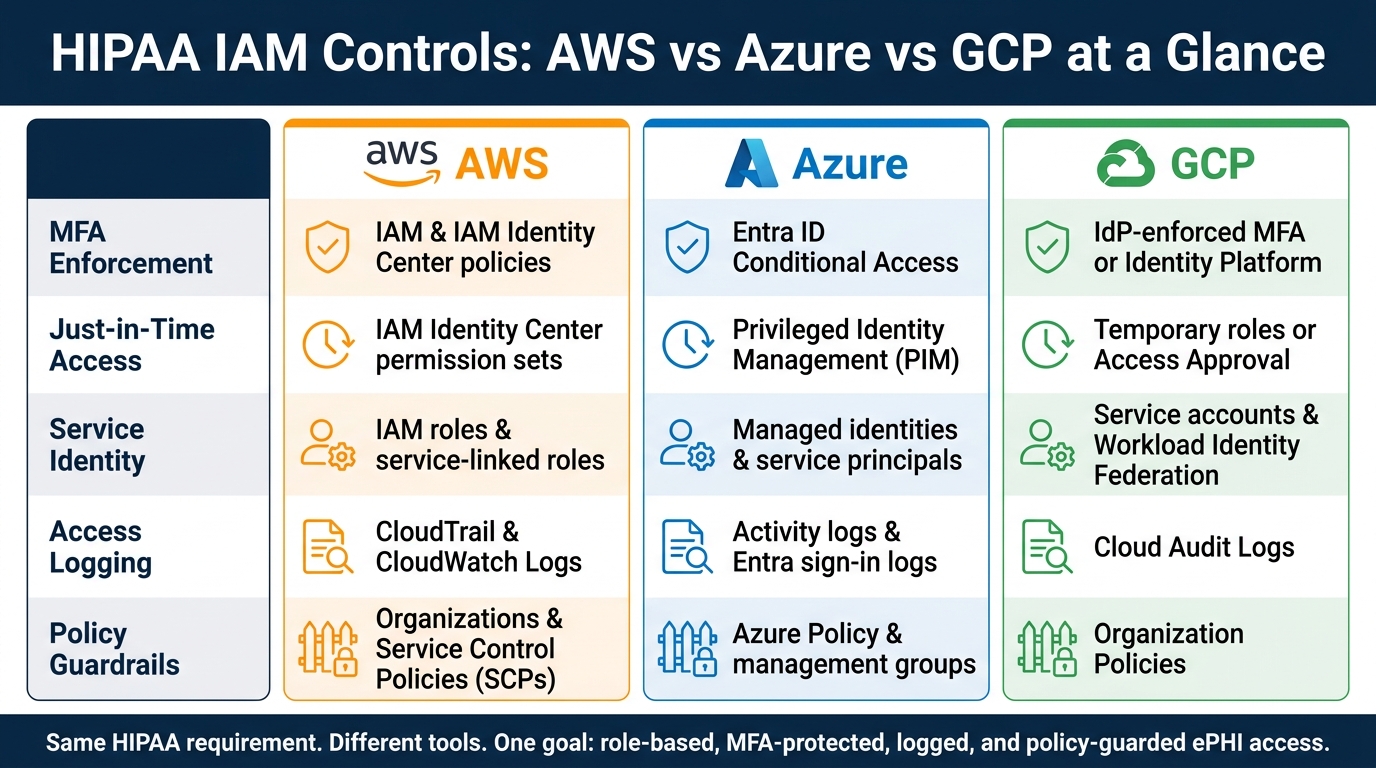
HIPAA IAM Controls: AWS vs Azure vs GCP at a Glance
After you set up IAM in each cloud, the next job is bigger: run one operating model across AWS, Azure, and GCP.
That matters a lot in healthcare. If PHI workloads live across all three clouds, governance can get messy fast. Policies drift. Access reviews slip through the cracks. Audit trails get harder to line up when someone asks what happened, where, and who had access. A shared model helps keep all of that under control.
Standardize identity architecture and access review processes
Start with one enterprise IdP, federated to AWS, Azure, and GCP through SAML or OIDC. Users sign in once through the IdP, and each cloud maps that identity to its own access layer: AWS IAM Identity Center permission sets, Azure RBAC assignments, or GCP IAM bindings.
That setup cuts down on local accounts in each cloud. It also gives you one place to enforce MFA, conditional access policies, and deprovisioning. Put simply, fewer identity silos usually means fewer gaps.
Next, define four privilege tiers and use them the same way in every cloud:
- read-only
- operator
- admin
- security admin
This makes access reviews much easier to line up across platforms, and it gives auditors the same kind of evidence no matter where the workload runs. It also helps to include the tier and environment in role names, such as prod-phi-admin, so logs are easier to read during an incident or a HIPAA review.
Keep emergency access tight. Maintain only a small set of emergency access accounts per cloud, protect them with MFA, and scope them to recovery only. If one of those accounts gets used, security should be alerted right away and the event should trigger a review. You want emergency access to exist, but you also want every use to leave a clean trail.
Run quarterly access certifications so managers attest that each team member's PHI-related permissions still fit their current role. And split duties so no single team can both manage IAM guardrails and access PHI data. That separation matters because it reduces the chance that one group can both set the rules and step around them.
Compare core IAM controls across AWS, Azure, and GCP
Use these governance rules as cloud-neutral requirements, then map them to native controls.
| IAM Control | AWS | Azure | GCP |
|---|---|---|---|
| MFA enforcement | AWS IAM and IAM Identity Center policies | Entra ID Conditional Access | IdP-enforced MFA or Identity Platform |
| Just-in-time access | IAM Identity Center permission sets | Privileged Identity Management (PIM) | Temporary roles or Access Approval |
| Service identity | IAM roles and service-linked roles | Managed identities and service principals | Service accounts and Workload Identity Federation |
| Access logging | CloudTrail and CloudWatch Logs | Activity logs and Entra sign-in logs | Cloud Audit Logs |
| Policy guardrails | Organizations and Service Control Policies | Azure Policy and management groups | Organization Policies |
The names change from cloud to cloud, but the requirement does not. PHI-related access should be role-based, protected with MFA, logged in a central place, and limited by policy guardrails that no single team can override.
Use Censinet RiskOps™ for continuous monitoring and remediation
Once the governance model is in place, track IAM findings and remediation in one risk workflow. Censinet RiskOps™ pulls together assessment findings from cloud-hosted systems and vendors, including IAM-specific questions around MFA coverage, least-privilege practices, logging enablement, and access review frequency.
RiskOps can create remediation tasks, assign owners, and track closure. Its dashboards show remediation progress and residual risk across clinical apps, vendors, and cloud services.
Conclusion: Minimum IAM practices for HIPAA-aligned cloud operations
IAM is the control plane for ePHI in AWS, Azure, and GCP. If roles are scoped too broadly, MFA is missing, or service account keys sit around too long, breach risk goes up fast.
At a bare minimum, you need one identity per person, MFA for all interactive access, least-privilege roles, and tight control over machine identities with short-lived credentials.
But controls on paper aren't enough. They need to produce evidence. That's what turns a decent setup into something you can defend during an audit or review.
For each HIPAA safeguard, there should be a clear IAM control tied to a clear source of proof:
- CloudTrail logs for AWS access decisions
- Entra ID sign-in logs for Azure authentication events
- Cloud Audit Logs for GCP activity
That proof needs to be ready when asked for, resistant to tampering, and kept according to policy.
This same discipline has to apply to vendors that can access PHI. Third-party vendors with PHI access need the same tight scoping, MFA rules, and access review schedule as internal users. Censinet RiskOps™ links IAM findings - MFA gaps, excessive vendor permissions, and overdue access reviews - to healthcare risk workflows, so fixes get assigned, tracked, and closed instead of dumped into a log and ignored.
Teams that handle IAM well don't treat it like a one-time setup. They treat it like day-to-day operational discipline: reviewed every quarter, enforced through policy, and documented with evidence at each step.
FAQs
What makes cloud IAM HIPAA-ready?
Cloud IAM is HIPAA-ready when it supports the access controls and audit trails HIPAA expects.
That means things like unique user IDs, phishing-resistant MFA, least-privilege RBAC and ABAC, automated provisioning, just-in-time privileged access, and centralized, immutable audit logs.
But the tool alone isn't enough. It also has to be set up and managed the right way by the healthcare organization, under a BAA and a shared responsibility model.
How should we handle emergency access to ePHI?
Use controlled break-glass procedures for emergency ePHI access. Link emergency elevation accounts to specific users or clearly defined roles, require written justification, set short time limits, and trigger automatic review and alerts every time someone uses them.
Keep access fast for clinicians, but still enforce strong authentication. That can include re-authentication, session handoff, and MFA for privileged activity. If you suspect compromise, disable the affected accounts or tokens, revoke active sessions, and review IAM and data access logs.
What audit evidence should we retain for HIPAA?
Retain tamper-proof, centralized audit logs for at least six years. Those logs should make it clear that access to ePHI was appropriate and secure.
Keep records for:
- User read, write, and delete actions
- Configuration changes
- Access decisions
- Administrator activity
Each log entry should include accurate timestamps and IP addresses. You should also keep documentation for risk assessments, security incident tracking, and regular audit reviews.
